Expense Report Template: Free Excel Download + Complete Guide

The average expense report costs $58 to process and takes 8.8 days to reimburse (GBTA, 2025). That's not a minor inconvenience — it's a drag on cash flow, employee morale, and finance team productivity. A well-structured expense report template cuts that cost and time in half by standardizing what employees submit and what finance teams review.
This guide gives you a free Excel expense report template you can download and use today, plus the practical knowledge most template sites skip: which expense categories the IRS actually cares about, how to set up an approval workflow that doesn't bottleneck, and what your expense policy should say before you hand anyone a template. For related financial planning resources, visit our Financial Planning Hub and explore our budgeting templates.
What Is an Expense Report and Why Does It Matter?
An expense report is a standardized form that employees submit to request reimbursement for business-related costs — travel, meals, office supplies, software, or client-related spending. It's the bridge between "I paid for something on behalf of the company" and "the company pays me back."
But expense reports serve a bigger purpose than reimbursement. They're your company's audit trail for tax deductions. The IRS requires documentation of every business expense you claim, and a sloppy expense report is the fastest way to lose a deduction during an audit. They also feed your financial reporting — without categorized expense data, your P&L is guesswork.
Who uses expense reports? Salaried employees on business travel. Freelancers billing client expenses. Contractors submitting project costs. Remote workers claiming home office stipends. If money leaves someone's pocket for business purposes, an expense report is how it comes back.
What Should an Expense Report Include?
Every expense report needs 7 core fields to be complete, compliant, and approvable. Miss one, and you're in the 19% of reports that get returned for corrections (GBTA) — adding an average of 18 minutes to an already slow process.
The 7 Required Fields
Here's what every line item on your expense report needs:
- Date — When the expense occurred (not when you're filing the report)
- Vendor/Merchant — Who you paid (hotel name, restaurant, airline — not just "travel")
- Category — The expense type (travel, meals, supplies — matching your company's chart of accounts)
- Description — What it was for and the business purpose ("Client dinner with Acme Corp to discuss Q3 contract renewal")
- Amount — The exact cost, including tax and tip
- Payment Method — Corporate card, personal card, or cash
- Receipt — Itemized receipt attached (credit card statements alone don't count for IRS purposes)
Common Expense Categories That Match IRS Rules
Don't invent your own categories. Align them with IRS Schedule C deductions so your accounting team doesn't have to reclassify everything at tax time.
| Category | IRS Deductible? | Notes |
|---|---|---|
| Airfare & transportation | Yes (100%) | Business purpose required |
| Hotel & lodging | Yes (100%) | Business travel only |
| Meals (business) | Yes (50%) | Must document attendees and business purpose |
| Mileage (personal vehicle) | Yes (70 cents/mile 2025) | Log origin, destination, and purpose |
| Office supplies | Yes (100%) | Reasonable amounts |
| Software & subscriptions | Yes (100%) | Must be business-related |
| Professional development | Yes (100%) | Conferences, courses, certifications |
| Client entertainment | Partially | Post-2017 rules limit entertainment deductions |
| Home office expenses | Yes (simplified or actual) | Must have dedicated space |
Free Expense Report Template Download
Our free expense report template for Excel includes auto-calculating totals, category dropdowns, and approval workflow fields — everything your team needs to submit and process expense reports without reinventing the wheel.
What's included:
- Expense Tracker sheet — line-item entry with date, vendor, category (dropdown), description, amount, and receipt status
- Summary sheet — auto-calculated totals by category with monthly aggregation
- Approval workflow — status tracking (submitted, approved, paid) with date stamps
- Data validation — dropdown menus for categories and payment methods prevent free-text errors
- Conditional formatting — overdue reports and missing receipts are automatically flagged
The template works in Excel 2016+, Microsoft 365, and Google Sheets. No macros, no add-ins — just formulas and data validation that work everywhere.
Download the free Expense Report Template →
For teams that need full financial reporting beyond expense tracking, our Financial Reporting Templates ($49) include income statements, balance sheets, and financial ratio dashboards.
How Do You Fill Out an Expense Report Correctly?
Complete your expense report in 5 steps. The entire process takes 10-15 minutes if you've kept your receipts organized — which is 5 minutes less than the 20 minutes the average report takes (GBTA, 2025).
Step 1 — Gather Your Receipts
Before opening the spreadsheet, collect every receipt from the reporting period. Check your email for e-receipts (airlines, hotels, ride-shares). Check your camera roll for photos of paper receipts. If you've lost a receipt, most vendors can reissue one — call before you file.
Pro tip: take a photo of every receipt the moment you get it. Paper fades, crumbles, and vanishes. A phone photo lasts forever.
Step 2 — Enter Each Expense Line Item
One row per expense. Don't combine multiple expenses into a single line — "Various meals $342" won't survive an audit. Each meal, each taxi, each purchase gets its own row with all 7 fields completed.
Step 3 — Categorize Correctly
Use the dropdown categories in the template — they're aligned with standard IRS categories. If you're unsure, ask your finance team before filing. The most common categorization mistakes:
- Putting Uber rides under "meals" instead of "transportation"
- Classifying software tools as "office supplies"
- Lumping tips and taxes into a separate line instead of the parent expense
Step 4 — Attach Documentation
For every line item over your company's receipt threshold (typically $25-$75), attach the itemized receipt. A credit card statement shows you paid — but it doesn't show what you bought. The IRS needs both.
Step 5 — Submit and Track Approval
Submit your report through whatever channel your company uses — email, shared drive, or expense management system. Then track it. Best-in-class companies reimburse in 3.5 days; the average is 8.8 days. If yours takes longer than 2 weeks, follow up with finance.
What Gets Expense Reports Rejected?
About 19% of expense reports contain errors that require correction (GBTA). Here's how to stay out of that 19%.
Submit promptly. File within 5 business days of the expense. Reports submitted 30+ days late are the most likely to be questioned — and the most likely to have missing receipts.
Always attach itemized receipts. Not credit card statements. Not bank transactions. The actual receipt from the vendor showing what you purchased. For meals over $75, include the names of attendees and the business purpose — that's an IRS requirement, not a company preference.
Pre-approve anything unusual. Flying business class? Staying at a premium hotel? Buying equipment over $500? Get written approval before the expense, not after. Post-facto approval requests are awkward and often denied.
Use company categories. Don't create your own. If the template has a dropdown for "Ground Transportation," don't type "Uber" in a freetext field. Miscategorized expenses create extra work for accounting and delay your reimbursement.
Include the business purpose for every meal. "Lunch — $47" won't survive an audit. "Lunch with Sarah Chen (Acme Corp) to review Q3 implementation timeline — $47" will. This takes 10 seconds to type and protects both you and the company.
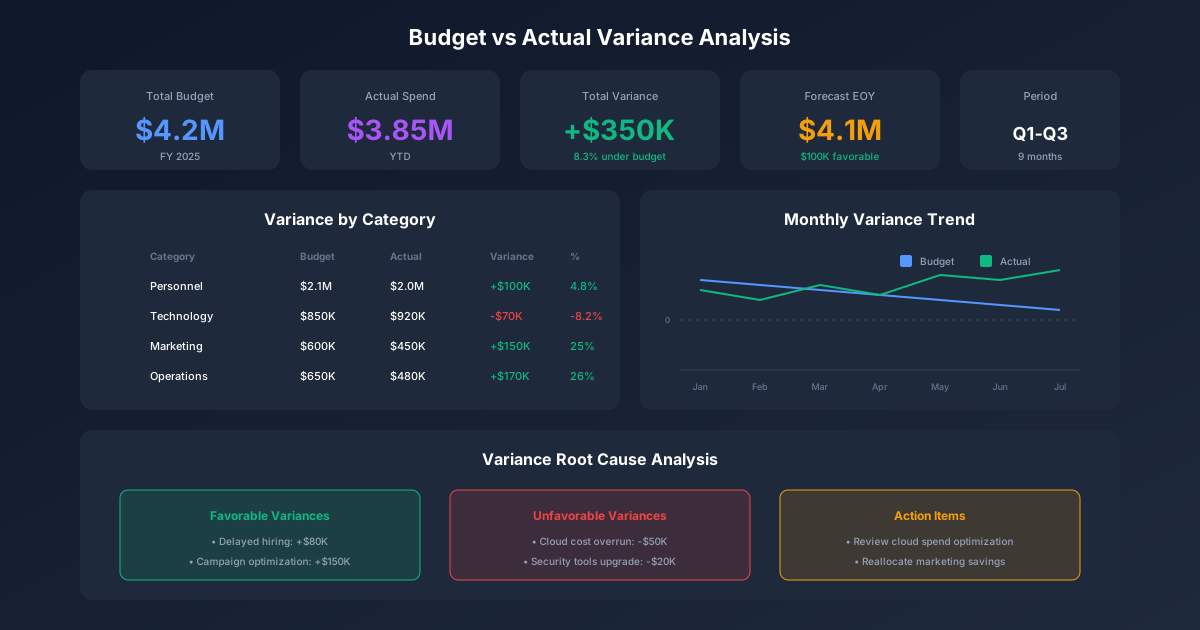
For expense tracking within a larger budget planning framework, these categorized expense reports feed directly into departmental budget variance analysis.
What Should Your Expense Policy Cover?
Before handing your team an expense report template, define the rules. An expense policy is the document that answers "what can I expense?" and "how much can I spend?" — so employees don't have to guess and approvers don't have to negotiate.
Spending limits by category. Set per-expense and per-trip maximums. Example: meals capped at $75/person, hotels at the GSA per diem rate for the city, flights in economy class for trips under 6 hours.
Pre-approval thresholds. Any single expense over $500 (or whatever your threshold is) requires pre-approval from a manager. This prevents surprise charges that blow up departmental budgets.
Receipt requirements. Define the dollar threshold above which receipts are mandatory. The IRS doesn't require receipts for expenses under $75, but most companies set the bar lower ($25 is common).
Reimbursement timelines. Commit to a turnaround time — 5 business days for approved reports is a reasonable target. If your process routinely exceeds 10 days, employees will stop submitting timely reports or stop paying out-of-pocket entirely.
Non-reimbursable expenses. Be explicit about what's NOT covered: alcohol (or limit it), personal entertainment, first-class upgrades, spouse travel. A clear exclusion list prevents 80% of policy disputes.
For a comprehensive approach to financial policy and planning, our Financial Planning Template ($49) includes scenario analysis and cash flow forecasting alongside expense management frameworks.
When Should You Move Beyond Spreadsheets?
Excel expense reports work perfectly for teams under 50 people processing fewer than 100 reports per month. Beyond that threshold, the manual effort costs more than the software to automate it.
Signs you've outgrown spreadsheets:
- Processing takes more than 10 days consistently
- Error rates exceed 25%
- You need multi-level approval chains
- Employees in multiple countries or currencies
- Auditors flag your documentation gaps
When that day comes, look for expense management software with receipt scanning (OCR), policy enforcement, multi-currency support, and accounting system integration. But start with the spreadsheet — it teaches your team the discipline that software then scales. Our free template is that starting point.
Frequently Asked Questions
What is the best format for an expense report?
Excel or Google Sheets for teams under 50 employees. The spreadsheet format allows customization, works offline, and doesn't require a software subscription. Above 50 employees or 100+ monthly reports, dedicated expense management software like Expensify, Concur, or Brex reduces processing time by 60% (GBTA, 2025).
How long should I keep expense reports for tax purposes?
The IRS requires you to keep business expense records for at least 3 years from the date you file the return claiming the deduction. However, most accountants recommend 7 years — the IRS can audit up to 6 years back if they suspect underreported income by more than 25%. Digital copies are acceptable; you don't need to keep paper originals.
What business expenses are tax-deductible?
Common tax-deductible business expenses include travel (airfare, hotels, car rental), meals with a business purpose (50% deductible), office supplies, software subscriptions, professional development, mileage on personal vehicles (70 cents per mile in 2025), and home office expenses. Entertainment expenses are no longer deductible under the Tax Cuts and Jobs Act, with limited exceptions.
Can I use a personal credit card for business expenses?
Yes, if your company's expense policy allows it. Submit the receipt and a note showing the personal card was used. Your company reimburses you; the credit card points stay with you (a minor perk of paying out of pocket). However, using a corporate card is preferred because it simplifies reconciliation and gives the company better spending visibility.
How do I handle expenses in a foreign currency?
Convert at the exchange rate on the transaction date — not the filing date. Note the conversion rate and the original currency amount on your report. Most corporate credit card statements include the conversion automatically. For cash expenses abroad, use the XE.com or OANDA historical rate for the transaction date.
Start Tracking Expenses Today
A structured expense report saves your company $29 per report compared to an ad-hoc process, prevents IRS documentation gaps, and gets employees reimbursed in days instead of weeks. The template takes 2 minutes to set up and works for teams of any size.
Download the free Expense Report Template →
Need more than expense tracking? Our Financial Reporting Templates ($49) include income statements, balance sheets, cash flow statements, and financial ratio dashboards — everything your finance team needs for end-to-end reporting. Or start with our free Invoice Template to handle the other side of the equation: getting paid.