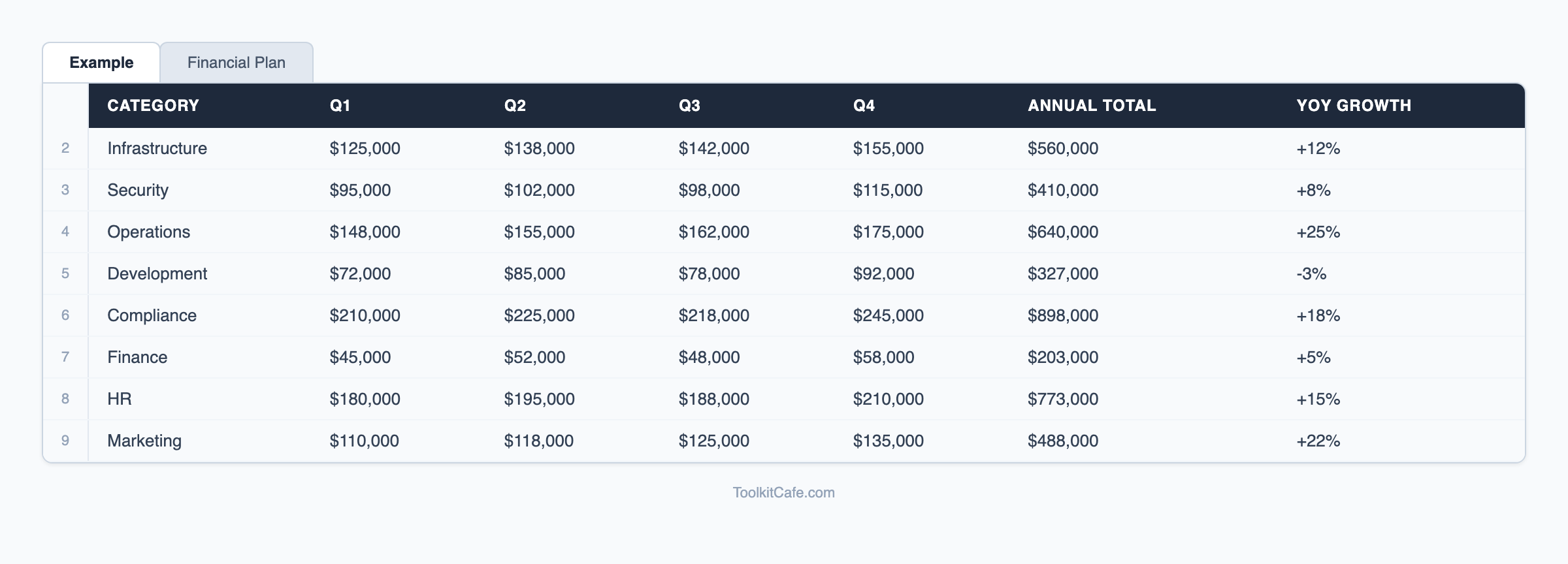
Financial Planning Template
Comprehensive financial planning template for budgeting, forecasting, and scenario analysis. Profess
One-time purchase • Download link via email
Used by managers at
How This Template Works
Building a financial plan from scratch takes weeks when you're starting with a blank spreadsheet — sourcing the right model structure, ensuring formulas are consistent, and making sure revenue, expenses, and cash flow all tie together correctly. The Financial Planning Template gives finance managers and CFOs a battle-tested workbook that integrates revenue models, expense budgets, cash flow forecasting, and scenario analysis into one coherent financial model.
The revenue model supports multiple revenue streams — product sales, subscriptions, professional services, and licensing — each with its own growth assumptions, pricing, and volume drivers. The expense budget connects to the revenue model automatically, so changing a growth assumption ripples through headcount and variable costs without manual reconciliation. Cash flow projections account for payment terms, capex timing, and debt service, giving you the cash position view that the P&L alone cannot provide.
Scenario analysis lets you toggle between base, optimistic, and downside cases with a single dropdown — essential for investor presentations, board stress tests, and covenant compliance checks. For teams presenting to external stakeholders, pair this with our [financial projections templates](/templates/financial-projections) which format the same underlying model into investor-ready 5-year statements. Our [financial reporting templates](/templates/financial-reporting) then close the loop with monthly actual-vs-plan reporting.
Complete Your Toolkit
Bundle these templates and save 20%
Accounting Setup Templates
Comprehensive accounting systems setup toolkit with chart of accounts....
Asset Management Templates
Comprehensive asset management toolkit with asset registers....
Break-Even Analysis Calculator
Professional break-even analysis calculator with scenario modeling, profitability analysis, and cost
Learn More About Financial Planning
Comprehensive guides and best practices to help you implement this template effectively
5 Essential IT Policies Every Business Needs: Complete Implementation Guide
Protect your business with these critical IT policies. From acceptable use to incident response, get detailed implementation guidance, compliance mapping, and templates for the five policies every organization needs.
Read guide →Acceptable Encryption Policy Template [2026] — PCI-DSS, HIPAA & SOC 2 Ready
Free encryption policy template with compliance mapping for PCI-DSS, HIPAA, and SOC 2. Covers data at rest, in transit, and key management. Download and customize.
Read guide →Access Control Policy Template: RBAC & Zero Trust Guide
Download a free access control policy template with RBAC, ABAC, and zero trust frameworks. Includes implementation steps, NIST/ISO 27001 alignment, and least privilege enforcement guidance.
Read guide →Complete Resource Collection
Access our comprehensive collection of financial planning templates, guides, and tools all in one place.
Explore Financial Planning Resource CollectionExplore More Resources
Discover comprehensive guides and templates in our resource hub
Browse all financial planning resources, guides, and templates
Frequently Asked Questions
What financial statements does this template produce?
The template produces a monthly P&L (income statement), cash flow forecast, and a simplified balance sheet. All three statements are linked — changes to revenue or expense assumptions flow through all three automatically, maintaining model integrity.
Can I use this for a startup financial model or is it for established businesses?
It works well for both. Startups typically use the pre-revenue configuration with burn rate and runway calculations. Established businesses use the full revenue model with historical data inputs for trend-based forecasting. The model handles zero-revenue starting points without formula errors.
How do I add a new revenue stream to the model?
Each revenue stream has its own input section with price, volume, growth rate, and seasonality inputs. To add a new stream, copy an existing revenue block, update the inputs, and add a row to the consolidation section. The template includes instructions for extending the model.
Is this suitable for presenting to investors or a bank?
The model structure is appropriate for investor and bank presentations. For formal fundraising or loan applications, you will typically want your accountant or CFO to review the model and assumptions. The template is designed to be the working model, with the outputs formatted for professional presentation.
Ready to Get Started?
Stop wasting time building from scratch. Get instant access to our proven Financial Planning Template and see results today.
30-day money-back guarantee • Download link via email • Professional support