Security Compliance Dashboard: How to Track Framework Adherence

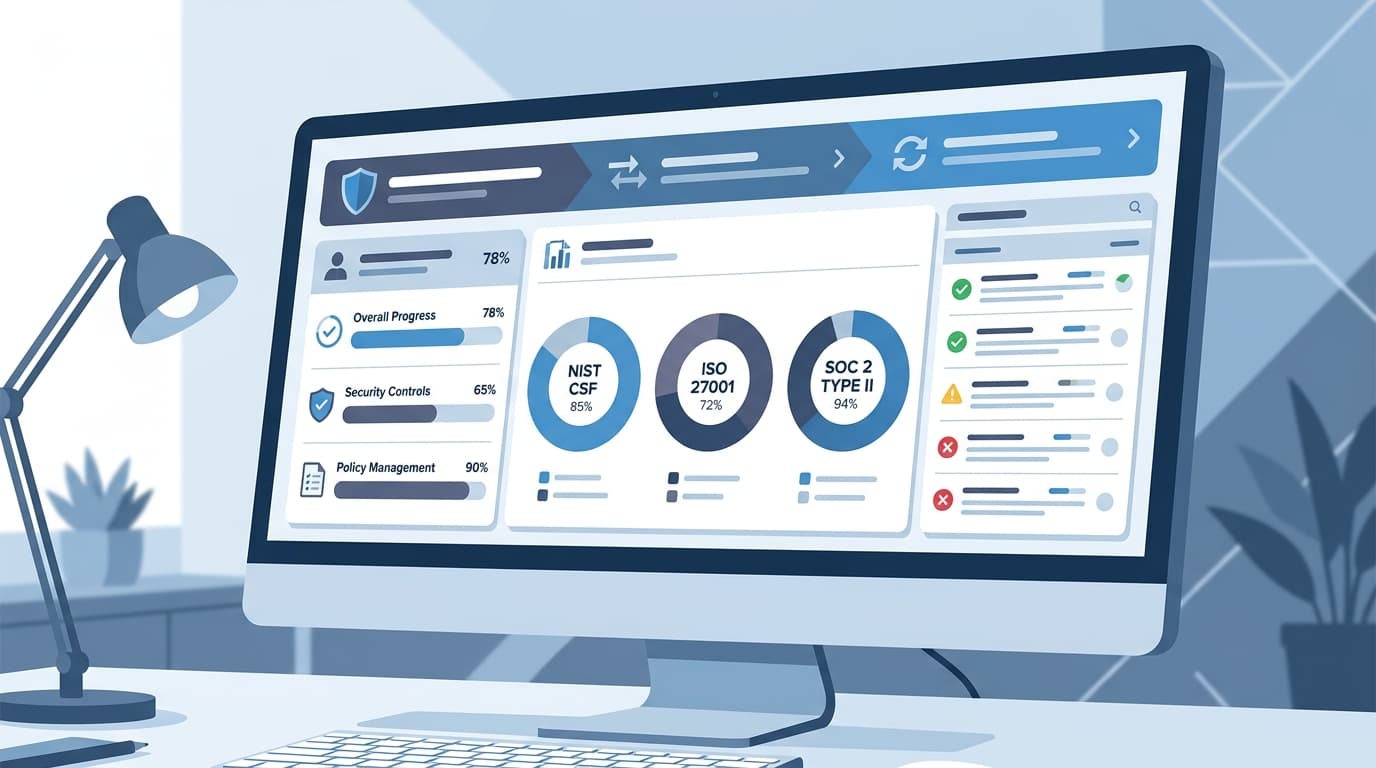
Compliance teams spend an average of 40% of their time on manual reporting and evidence gathering instead of actually improving security posture (Drata, 2025). A security compliance dashboard changes that equation — it gives you a single view of where you stand across all frameworks, which controls are failing, and where to focus your limited time.
This guide shows you how to build a compliance dashboard that tracks multiple frameworks simultaneously, with specific KPIs, reporting cadences, and templates. For a ready-made solution, download our security compliance templates or FP&A dashboard suite adapted for compliance tracking.
Key Takeaways
- A compliance dashboard should track 4 dimensions: control implementation %, evidence freshness, audit findings, and risk exposure
- Map controls across frameworks to avoid duplicate work — NIST CSF, ISO 27001, and SOC 2 overlap by 60-70%
- Automate evidence collection for at least 50% of controls using existing tools (SIEM, MDM, IAM logs)
- Report monthly to leadership with a simple Red/Yellow/Green status per framework
What Should a Compliance Dashboard Track?
A compliance dashboard isn't a checkbox list — it's an operational tool that answers four questions:
1. Control Implementation Status
For each framework, what percentage of required controls are fully implemented, partially implemented, or not started?
| Framework | Total Controls | Implemented | Partial | Not Started | % Complete |
|---|---|---|---|---|---|
| NIST CSF | 108 | 82 | 18 | 8 | 76% |
| ISO 27001 | 93 | 65 | 20 | 8 | 70% |
| SOC 2 (Security) | 64 | 52 | 10 | 2 | 81% |
| PCI DSS | 78 | 71 | 5 | 2 | 91% |
This table should update automatically as controls are marked complete. The goal isn't 100% — it's knowing exactly where the gaps are.
2. Evidence Freshness
Compliance isn't a point-in-time event. Evidence must stay current. Track when each control's evidence was last verified:
| Evidence Age | Meaning | Action |
|---|---|---|
| Current (< 90 days) | Evidence is fresh and valid | None |
| Aging (90-180 days) | Approaching staleness | Schedule refresh |
| Stale (> 180 days) | Invalid for audit purposes | Immediate refresh required |
A dashboard that shows 85% of controls are implemented but 40% have stale evidence tells you something important: you've built the controls but you're not maintaining proof. Auditors will flag this.
3. Audit Findings and Remediation
Track open findings from internal and external audits:
| Finding | Severity | Framework | Owner | Due Date | Status |
|---|---|---|---|---|---|
| MFA not enforced on VPN | High | SOC 2, NIST | IT Ops | Apr 15 | In Progress |
| Access reviews overdue | Medium | ISO 27001 | HR/IT | Mar 31 | Overdue |
| Encryption policy not updated | Low | PCI DSS | Security | May 1 | Open |
| Backup restore test not documented | High | NIST, ISO | IT Ops | Apr 1 | In Progress |
The key metric: average days to close findings by severity. If critical findings take 90+ days to close, your compliance posture is degrading.
4. Risk Exposure
Connect compliance gaps to actual business risk. Not all control failures are equal — a missing encryption control for customer data is more severe than an outdated training policy.
Use a risk heat map that plots compliance gaps against business impact:
| Gap | Likelihood | Impact | Risk Score | Framework |
|---|---|---|---|---|
| No DLP for cloud storage | High | Critical | 20 | SOC 2, ISO |
| Missing vendor assessments (3) | Medium | High | 12 | All |
| Overdue security training | High | Medium | 12 | All |
| Outdated network diagrams | Low | Medium | 4 | PCI, NIST |
Our risk assessment template provides the scoring matrix for this analysis.
Framework Cross-Mapping: Work Smarter
The biggest efficiency gain in compliance is recognizing that frameworks overlap significantly. A single control — like "enforce MFA on administrative access" — satisfies requirements across NIST, ISO 27001, SOC 2, and PCI DSS simultaneously.
Here's how major frameworks map to each other:
| Control Area | NIST CSF | ISO 27001 | SOC 2 | PCI DSS |
|---|---|---|---|---|
| Access Control | PR.AC | A.9 | CC6.1-6.3 | Req 7, 8 |
| Encryption | PR.DS | A.10 | CC6.1, CC6.7 | Req 3, 4 |
| Incident Response | RS.RP | A.16 | CC7.3-7.5 | Req 12.10 |
| Change Management | PR.IP | A.12.1.2 | CC8.1 | Req 6.4 |
| Logging & Monitoring | DE.CM | A.12.4 | CC7.1-7.2 | Req 10 |
| Risk Assessment | ID.RA | A.8.2 | CC3.1-3.4 | Req 12.2 |
| Training | PR.AT | A.7.2.2 | CC1.4 | Req 12.6 |
By mapping controls across frameworks, a single access review process satisfies 4 different requirements. Your dashboard should track controls once and report against multiple frameworks — not maintain separate tracking for each.
For a detailed framework comparison, see our NIST vs ISO 27001 guide.
Building Your Dashboard: 3 Approaches
Approach 1: Excel/Google Sheets (Free, Manual)
Best for: small teams, 1-2 frameworks, < 200 controls.
Structure your spreadsheet with these tabs:
- Control Register — master list of controls with framework mapping, owner, status, evidence link
- Dashboard — summary charts pulling from the register (pivot tables + conditional formatting)
- Findings Tracker — open items from audits with severity, owner, deadline
- Evidence Calendar — when each piece of evidence needs refreshing
Our compliance management template follows this structure with built-in formulas.
Approach 2: GRC Platform (Paid, Semi-Automated)
Best for: mid-market teams, 2-4 frameworks, 200-500 controls.
GRC (Governance, Risk, and Compliance) platforms like Drata, Vanta, Sprinto, or Secureframe automate evidence collection by connecting to your cloud infrastructure, identity provider, and endpoint management tools. They typically provide:
- Pre-built control frameworks (SOC 2, ISO 27001, PCI DSS)
- Automated evidence collection (50-70% of controls)
- Dashboard with real-time compliance status
- Audit-ready report generation
Cost: $10,000-$50,000/year depending on scope and framework count.
Approach 3: Custom Dashboard (Internal Build)
Best for: enterprises with dedicated compliance teams, custom frameworks, or integration requirements.
Build on top of your existing SIEM (Splunk, Datadog) or BI tool (Power BI, Tableau, Looker) by pulling compliance data from multiple sources:
- SIEM for logging and monitoring evidence
- IAM (Okta, Azure AD) for access control compliance
- MDM (Intune, Jamf) for endpoint compliance
- Ticketing (Jira, ServiceNow) for finding remediation tracking
Reporting Cadence
| Audience | Frequency | Content | Format |
|---|---|---|---|
| Compliance team | Weekly | Control status changes, overdue items | Dashboard view |
| IT leadership | Monthly | Framework % complete, open findings, risk changes | 1-page summary |
| Executive/Board | Quarterly | Overall compliance posture, audit results, budget needs | Executive brief |
| External auditors | As needed | Evidence packages, control documentation | Audit workpapers |
The monthly leadership report should fit on one page with:
- Red/Yellow/Green status per framework
- Top 3 risks with remediation timelines
- Evidence freshness summary
- Key metrics: days to close findings, controls tested this month
Frequently Asked Questions
Which compliance framework should we start with?
Start with the framework your customers or regulators require. If customers ask for SOC 2 reports, start there. If you process EU data, start with GDPR. If you're a government contractor, start with NIST. If nobody is asking for a specific framework, start with NIST CSF — it's free, flexible, and maps well to other frameworks if you need to add SOC 2 or ISO 27001 later. See our security compliance templates for pre-built framework tracking.
How long does it take to build a compliance dashboard?
An Excel-based dashboard takes 2-3 days to build and populate. A GRC platform takes 4-8 weeks to implement (vendor setup, integrations, control mapping). A custom dashboard takes 2-4 months of development time. The dashboard itself is fast — the slow part is documenting controls and gathering initial evidence, which takes 2-6 months regardless of the tool.
Can one dashboard track multiple frameworks?
Yes — that's the primary value of a compliance dashboard. Use the cross-mapping approach described above to track controls once and report against multiple frameworks. Most GRC platforms support multi-framework tracking natively. In Excel, add a column for each framework and mark which controls satisfy which requirements. Our compliance templates include framework mapping columns for NIST, ISO 27001, SOC 2, and PCI DSS.
What are the most important compliance KPIs?
Track these 6 KPIs monthly: (1) control implementation % per framework, (2) evidence freshness (% current vs stale), (3) average days to close audit findings, (4) number of overdue findings, (5) risk score trend (improving or declining), and (6) audit readiness score (could we pass an audit today?). The last metric is the most actionable — it forces you to maintain continuous compliance rather than cramming before audits.
How do we automate compliance evidence collection?
Start with the controls that leave digital trails: access logs from your identity provider (Okta, Azure AD), endpoint compliance reports from your MDM (Intune, Jamf), vulnerability scan results from your scanner (Qualys, Tenable), and configuration baselines from your cloud provider (AWS Config, Azure Policy). These cover 40-60% of most framework controls automatically. The remaining controls (policies, training records, physical security) require manual evidence gathering, but even scheduling automated reminders reduces the burden.
Should compliance reporting go to the board?
Yes — quarterly at minimum. Board members have fiduciary responsibility for risk management, and compliance failures represent material risk. Keep board reports at the executive level: overall compliance posture (Red/Yellow/Green per framework), significant findings and remediation status, upcoming audit dates, and budget requirements. Avoid technical details — the board needs to know "are we protected?" not "which firewall rules need updating." Our compliance management template includes a board reporting format.