CAPEX Planning
Professional template from ToolkitCafe with comprehensive features and implementation guidance.
One-time purchase • Download link via email
Used by managers at
Included in Financial Planning & Analysis Toolkit
12 templates for $249
How This Template Works
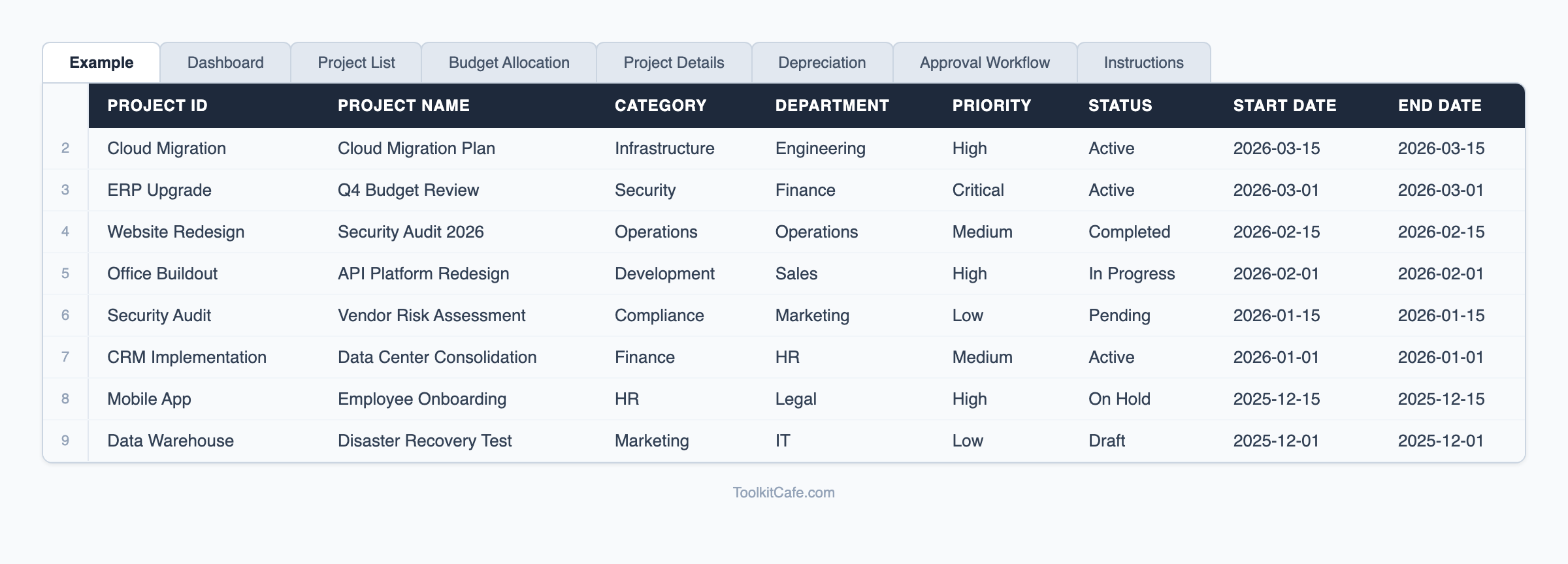
The CAPEX Planning template gives finance and operations managers a structured Excel system for planning, approving, and tracking capital expenditure requests. The workbook covers the full capital expenditure lifecycle: project submission with business justification, approval workflow tracking, depreciation schedule calculations, and ongoing budget-to-actual monitoring.
Depreciation schedules support straight-line and declining balance methods with asset life inputs, so your finance team can immediately see the impact on future periods. The approval workflow tab documents who approved each request and when, creating an audit trail for internal controls. For organizations managing hardware assets specifically, see our [hardware capitalization schedule](/templates/hardware-capitalization-schedule). Pair with our [budget template](/templates/budget-template) for integrating capex into your overall financial plan.
Complete Your Toolkit
Bundle these templates and save 20%
Accounting Setup Templates
Comprehensive accounting systems setup toolkit with chart of accounts....
Asset Management Templates
Comprehensive asset management toolkit with asset registers....
Break-Even Analysis Calculator
Professional break-even analysis calculator with scenario modeling, profitability analysis, and cost
Learn More About Financial Planning
Comprehensive guides and best practices to help you implement this template effectively
Agile Project Management Templates: Scrum, Kanban & Sprint Planning Tools
Free agile project management templates for Scrum teams. Download sprint planning spreadsheets, Kanban boards, velocity trackers, and retrospective templates for Excel and Google Sheets.
Read guide →Break-Even Analysis: How to Calculate Your Break-Even Point [Examples]
How to calculate your break-even point with formulas, Excel examples, and sensitivity analysis. Covers fixed costs, variable costs, and contribution margin for product and service businesses.
Read guide →Budget Template: Complete Financial Planning & Expense Tracking Guide
Free budget template for financial planning and expense tracking. Includes monthly budgets, departmental budgets, project budgets, and zero-based budgeting frameworks for businesses and personal finance.
Read guide →Complete Resource Collection
Access our comprehensive collection of financial planning templates, guides, and tools all in one place.
Explore Financial Planning Resource CollectionExplore More Resources
Discover comprehensive guides and templates in our resource hub
Browse all financial planning resources, guides, and templates
Frequently Asked Questions
What depreciation methods does the template support?
The template supports straight-line depreciation and declining balance methods. You enter the asset cost, salvage value, and useful life, and the schedule calculates annual and monthly depreciation automatically.
Can this be used for both equipment and software capitalization?
Yes. The template is asset-type agnostic — use it for manufacturing equipment, IT hardware, software development costs, or real estate improvements. Just categorize appropriately in the asset type field.
How does this help with budget approval processes?
The approval workflow tab creates a documented record showing who reviewed and approved each capital request, with dates and notes. This satisfies internal control requirements for capital expenditure governance.
Ready to Get Started?
Stop wasting time building from scratch. Get instant access to our proven CAPEX Planning and see results today.
30-day money-back guarantee • Download link via email • Professional support