Agile Project Management Templates: Scrum, Kanban & Sprint Planning Tools

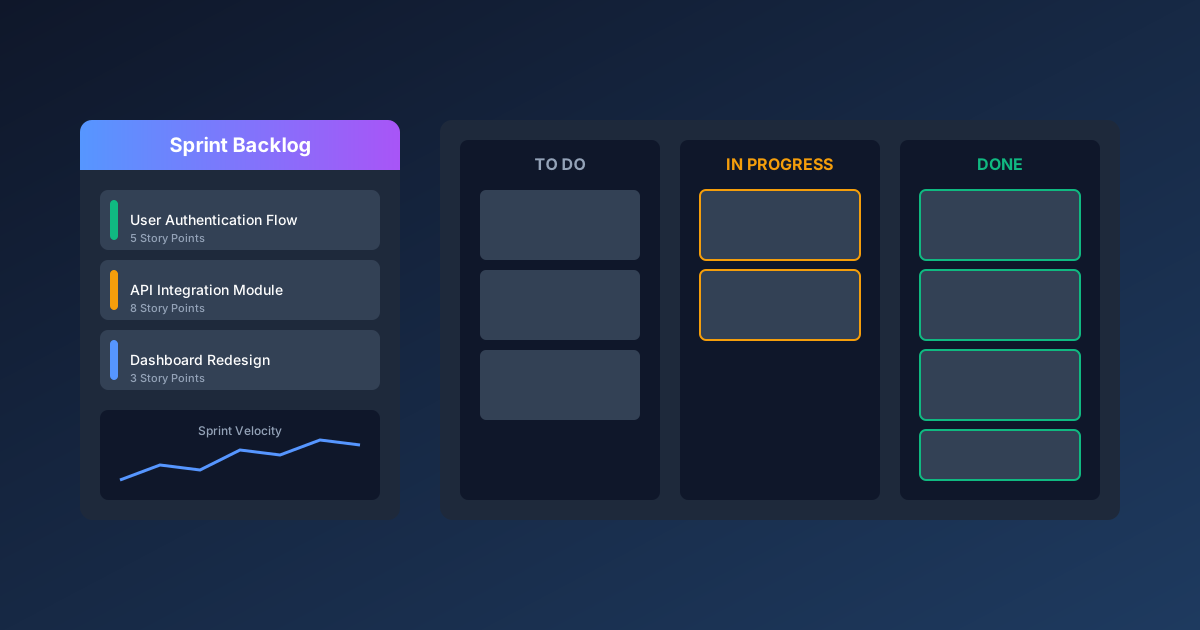
Agile methodologies have transformed how teams deliver software and manage projects. But implementing Scrum or Kanban without proper tracking tools leads to chaos—missed sprints, unclear priorities, and teams drowning in work-in-progress.
The right templates bridge the gap between agile theory and daily execution. This guide provides battle-tested spreadsheet templates for sprint planning, Kanban boards, velocity tracking, and retrospectives—all designed for real-world agile teams.
For related project management resources, explore our Project Management Hub and IT Management Hub. For ready-to-use templates, see our Project Tracker Template and Risk Register Template.
Agile Template Categories Overview
Before diving into specific templates, here's how they map to agile ceremonies and practices:
| Template Type | Scrum Ceremony | Kanban Use | Update Frequency |
|---|---|---|---|
| Product Backlog | Backlog Refinement | Backlog Management | Weekly |
| Sprint Planning | Sprint Planning | N/A | Per Sprint |
| Sprint Board | Daily Standup | Kanban Board | Daily |
| Burndown Chart | Sprint Review | Cumulative Flow | Daily |
| Velocity Tracker | Sprint Retrospective | Throughput | Per Sprint |
| Retrospective | Sprint Retrospective | Continuous Improvement | Per Sprint/Monthly |
Product Backlog Template
The product backlog is the single source of truth for all work to be done. This template helps product owners maintain a prioritized, estimated, and well-groomed backlog.
Backlog Structure
| Column | Description | Example |
|---|---|---|
| ID | Unique story identifier | US-1234 |
| Epic | Parent feature grouping | User Authentication |
| User Story | As a [user], I want [goal] so that [benefit] | As a customer, I want to reset my password so I can regain access |
| Acceptance Criteria | Definition of done | Password reset email sent within 30 seconds |
| Priority | MoSCoW or numeric ranking | Must Have / P1 |
| Story Points | Relative effort estimate | 5 |
| Sprint | Assigned sprint (if any) | Sprint 12 |
| Status | Current state | Ready for Dev |
| Owner | Assigned team member | Jane Smith |
| Dependencies | Blocked by / Blocks | US-1230 must complete first |
Backlog Prioritization Methods
MoSCoW Method:
- Must Have: Critical for release, non-negotiable
- Should Have: Important but not critical
- Could Have: Desirable if time permits
- Won't Have: Out of scope for this release
Weighted Scoring:
Priority Score = (Business Value × Weight1) + (User Impact × Weight2) - (Effort × Weight3)

Example:
- Business Value: 8 (scale 1-10)
- User Impact: 7
- Effort: 5
- Weights: 0.4, 0.3, 0.3
- Score = (8 × 0.4) + (7 × 0.3) - (5 × 0.3) = 3.2 + 2.1 - 1.5 = 3.8
RICE Framework:
RICE Score = (Reach × Impact × Confidence) / Effort

Example:
- Reach: 1000 users/quarter
- Impact: 2 (high)
- Confidence: 80%
- Effort: 2 person-months
- Score = (1000 × 2 × 0.8) / 2 = 800
Story Writing Best Practices
User Story Format:
As a [type of user],
I want [goal/desire],
So that [benefit/value].
INVEST Criteria Checklist:
- Independent: Can be developed separately
- Negotiable: Details can be discussed
- Valuable: Delivers user value
- Estimable: Team can estimate effort
- Small: Fits within a sprint
- Testable: Has clear acceptance criteria
Acceptance Criteria Format (Given-When-Then):
Given [precondition/context],
When [action is performed],
Then [expected outcome].

Example:
Given a registered user on the login page,
When they click "Forgot Password" and enter their email,
Then they receive a password reset link within 30 seconds.
Sprint Planning Template
Sprint planning transforms backlog items into a committed sprint goal with clear tasks and ownership.
Sprint Planning Spreadsheet Structure
Tab 1: Sprint Overview
| Field | Sprint 12 Example |
|---|---|
| Sprint Number | 12 |
| Sprint Goal | Complete user authentication module |
| Start Date | 2025-01-20 |
| End Date | 2025-02-02 |
| Duration | 2 weeks |
| Team Capacity | 80 story points |
| Committed Points | 75 story points |
| Buffer | 5 points (6.25%) |
Tab 2: Sprint Backlog
| Story ID | Story Title | Points | Tasks | Owner | Status | Notes |
|---|---|---|---|---|---|---|
| US-1234 | Password Reset | 5 | 4 | Jane | In Progress | Waiting on email service |
| US-1235 | OAuth Integration | 8 | 6 | Mike | Not Started | Google OAuth first |
| US-1236 | Session Management | 3 | 3 | Jane | Done | Completed Day 3 |
Tab 3: Task Breakdown
| Task ID | Story | Task Description | Est. Hours | Actual | Owner | Status |
|---|---|---|---|---|---|---|
| T-1234-1 | US-1234 | Design email template | 2 | 1.5 | Jane | Done |
| T-1234-2 | US-1234 | Implement reset endpoint | 4 | - | Jane | In Progress |
| T-1234-3 | US-1234 | Write unit tests | 3 | - | Jane | Not Started |
| T-1234-4 | US-1234 | Integration testing | 2 | - | Mike | Not Started |
Capacity Planning Formula
Team Capacity = Σ (Team Member Available Days × Hours/Day × Focus Factor)

Example (2-week sprint):
- Developer 1: 10 days × 6 hours × 0.8 = 48 hours
- Developer 2: 8 days × 6 hours × 0.8 = 38.4 hours (2 days PTO)
- Developer 3: 10 days × 6 hours × 0.8 = 48 hours
- Total: 134.4 hours = ~67 story points (at 2 hours/point)
Focus Factor Adjustments:
- New team member: 0.5-0.6
- Experienced team member: 0.7-0.8
- Tech lead (meetings/reviews): 0.5-0.6
- Sprint with holidays: Reduce proportionally
Sprint Commitment Checklist
Before committing to sprint scope:
- All stories have acceptance criteria
- Stories are estimated by the team
- Dependencies identified and resolved
- Technical spikes completed for unknowns
- Sprint goal clearly articulated
- Team capacity calculated accurately
- Buffer included for unexpected work (10-15%)
Kanban Board Template
Kanban boards visualize workflow and limit work-in-progress to improve flow and reduce bottlenecks.
Basic Kanban Board Structure
| Backlog | Ready | In Development | Code Review | Testing | Done |
|---|---|---|---|---|---|
| US-1240 | US-1238 | US-1234 (Jane) | US-1236 (Mike) | US-1232 | US-1230 |
| US-1241 | US-1239 | US-1235 (Mike) | US-1233 | US-1231 | |
| US-1242 |
WIP Limits:
- Ready: 5 items max
- In Development: 3 items (1.5× team size)
- Code Review: 2 items
- Testing: 3 items
Advanced Kanban Columns
For complex workflows, add sub-columns and swimlanes:
Sub-columns (Development):
| In Development          |
|-------------------------|
| Active    | Blocked     |
| US-1234   | US-1235     |
|           | (API issue) |
Swimlanes by Priority:
| Expedite (urgent) | US-1250 | | | US-1248 | |
| Standard          | US-1240 | US-1238 | US-1234 | US-1232 | US-1230 |
| Low Priority      | US-1245 | | US-1243 | | US-1241 |
Swimlanes by Work Type:
| Features    | US-1234 | US-1235 | | US-1230 |
| Bug Fixes   | BUG-45  | | BUG-44 | BUG-43 |
| Tech Debt   | TD-12   | | TD-11 | |
Kanban Metrics Dashboard
Track these metrics in a separate tab:
| Metric | Formula | Target | Current |
|---|---|---|---|
| Lead Time | Done Date - Created Date | < 14 days | 11 days |
| Cycle Time | Done Date - Start Date | < 5 days | 4.2 days |
| Throughput | Items Done / Week | 8-10 | 9 |
| WIP | Count of active items | < 8 | 6 |
| Blocked Items | Count blocked > 24 hours | 0 | 1 |
| Flow Efficiency | Value-Add Time / Lead Time | > 40% | 38% |
Cumulative Flow Diagram Data
Track daily for visualization:
| Date | Backlog | Ready | Dev | Review | Test | Done |
|---|---|---|---|---|---|---|
| Jan 20 | 45 | 5 | 3 | 1 | 2 | 10 |
| Jan 21 | 44 | 5 | 4 | 2 | 1 | 11 |
| Jan 22 | 43 | 4 | 3 | 2 | 2 | 13 |
| Jan 23 | 42 | 5 | 4 | 1 | 2 | 14 |
| Jan 24 | 40 | 5 | 3 | 2 | 3 | 15 |
Reading the CFD:
- Flat bands: Steady flow, healthy process
- Widening bands: Work accumulating (bottleneck)
- Narrowing bands: Work draining faster than entering
- Bulges: Temporary bottleneck or batch processing
Sprint Burndown Chart Template
Burndown charts show progress toward sprint completion and help identify when commitments are at risk.
Daily Burndown Data
| Day | Date | Ideal Remaining | Actual Remaining | Variance |
|---|---|---|---|---|
| 0 | Jan 20 | 75 | 75 | 0 |
| 1 | Jan 21 | 67.5 | 72 | +4.5 |
| 2 | Jan 22 | 60 | 65 | +5 |
| 3 | Jan 23 | 52.5 | 58 | +5.5 |
| 4 | Jan 24 | 45 | 48 | +3 |
| 5 | Jan 25 | 37.5 | 40 | +2.5 |
| 6 | Jan 27 | 30 | 32 | +2 |
| 7 | Jan 28 | 22.5 | 25 | +2.5 |
| 8 | Jan 29 | 15 | 18 | +3 |
| 9 | Jan 30 | 7.5 | 8 | +0.5 |
| 10 | Jan 31 | 0 | 0 | 0 |
Burndown Calculations
Ideal Daily Burn Rate = Total Committed Points / Working Days
                      = 75 / 10 = 7.5 points/day

Ideal Remaining (Day N) = Total - (Ideal Rate × N)

Actual Remaining = Sum of incomplete story points

Variance = Actual - Ideal (positive = behind, negative = ahead)
Burndown Patterns and Actions
Pattern 1: Consistently Behind (Variance Growing)
- Cause: Underestimated complexity, scope creep, team issues
- Action: De-scope stories, get help, address blockers
Pattern 2: Flat Line Mid-Sprint
- Cause: Large stories not completing, blocked work
- Action: Break down stories, swarm on blockers
Pattern 3: Cliff at Sprint End
- Cause: Stories not broken into tasks, late integration
- Action: Better task breakdown, continuous integration
Pattern 4: Scope Increase (Line Jumps Up)
- Cause: New work added mid-sprint
- Action: Protect sprint commitment, handle in next sprint
Burnup Chart Alternative
Burnup charts show both completion AND scope changes:
| Day | Scope | Completed | Remaining |
|---|---|---|---|
| 0 | 75 | 0 | 75 |
| 3 | 75 | 17 | 58 |
| 5 | 80 | 32 | 48 |
| 7 | 80 | 55 | 25 |
| 10 | 80 | 80 | 0 |
Velocity Tracking Template
Velocity measures how much work a team completes per sprint, enabling better forecasting and planning.
Historical Velocity Data
| Sprint | Committed | Completed | Velocity | Notes |
|---|---|---|---|---|
| Sprint 8 | 70 | 65 | 65 | New team member onboarding |
| Sprint 9 | 68 | 70 | 70 | Carried over 2 stories |
| Sprint 10 | 72 | 72 | 72 | Clean sprint |
| Sprint 11 | 75 | 68 | 68 | Production incident |
| Sprint 12 | 75 | 75 | 75 | Current sprint |
| Average | 72 | 70 | 70 | Last 5 sprints |
Velocity Calculations
Sprint Velocity = Sum of completed story points

Average Velocity = Sum of velocities / Number of sprints
                 = (65 + 70 + 72 + 68 + 75) / 5 = 70

Velocity Range (for planning):
- Optimistic: Max velocity = 75
- Realistic: Average = 70
- Conservative: Min velocity = 65
Release Forecasting
Use velocity to predict release dates:
Remaining Backlog: 280 story points
Average Velocity: 70 points/sprint
Sprint Length: 2 weeks

Optimistic (75 pts/sprint): 280 / 75 = 3.7 sprints = 8 weeks
Realistic (70 pts/sprint): 280 / 70 = 4.0 sprints = 8 weeks
Conservative (65 pts/sprint): 280 / 65 = 4.3 sprints = 9 weeks

Forecast: Release in 8-9 weeks (late March)
Velocity Stabilization Tracking
Track velocity standard deviation to measure predictability:
Standard Deviation = √[Σ(velocity - average)² / n]
                   = √[(25 + 0 + 4 + 4 + 25) / 5]
                   = √11.6 = 3.4 points

Coefficient of Variation = StdDev / Average = 3.4 / 70 = 4.9%

Target: CV < 10% indicates stable, predictable team
Capacity vs. Velocity Correlation
| Sprint | Capacity (hrs) | Velocity | Points/Hour |
|---|---|---|---|
| S8 | 120 | 65 | 0.54 |
| S9 | 134 | 70 | 0.52 |
| S10 | 140 | 72 | 0.51 |
| S11 | 125 | 68 | 0.54 |
| S12 | 140 | 75 | 0.54 |
| Avg | 132 | 70 | 0.53 |
Use points/hour ratio to adjust for capacity changes (PTO, holidays).
Sprint Retrospective Template
Retrospectives drive continuous improvement by reflecting on what worked, what didn't, and what to change.
Basic Retrospective Format
What Went Well (Keep Doing)
| Item | Votes | Action |
|---|---|---|
| Daily standups were focused and brief | 5 | Continue 15-min timebox |
| Pair programming on complex stories | 4 | Schedule for next sprint |
| Early stakeholder demo feedback | 3 | Keep mid-sprint demos |
What Didn't Go Well (Stop Doing)
| Item | Votes | Action |
|---|---|---|
| Code reviews taking too long | 6 | Set 24-hour SLA |
| Interrupted by support tickets | 4 | Create support rotation |
| Unclear acceptance criteria | 3 | Review in refinement |
What to Try (Start Doing)
| Item | Votes | Action | Owner | Due |
|---|---|---|---|---|
| Mob programming for spikes | 4 | Try in Sprint 13 | Mike | Jan 20 |
| Automated deployment to staging | 3 | Set up CI/CD | Jane | Feb 1 |
Alternative Retrospective Formats
4Ls Retrospective:
- Liked: What did you enjoy?
- Learned: What did you learn?
- Lacked: What was missing?
- Longed For: What do you wish for?
Sailboat Retrospective:
- Wind (Propellers): What's moving us forward?
- Anchor (Weights): What's slowing us down?
- Rocks (Risks): What risks do we see ahead?
- Island (Goal): Where are we trying to get?
Start-Stop-Continue:
- Start: New practices to try
- Stop: Practices to abandon
- Continue: Practices that work
Action Item Tracking
| Action | Sprint | Owner | Status | Impact |
|---|---|---|---|---|
| Implement code review SLA | S12 | Jane | Done | Reduced review time 50% |
| Create support rotation | S12 | Mike | In Progress | - |
| Automate deployment | S12 | Team | Blocked | Need DevOps approval |
| Refine acceptance criteria | S11 | PO | Done | Fewer clarifications needed |
| Add integration tests | S10 | Team | Done | Caught 3 bugs early |
Retrospective Metrics
Track improvement over time:
| Sprint | Actions Created | Actions Completed | Completion Rate | Team Satisfaction |
|---|---|---|---|---|
| S8 | 5 | 3 | 60% | 3.2/5 |
| S9 | 4 | 4 | 100% | 3.5/5 |
| S10 | 6 | 4 | 67% | 3.8/5 |
| S11 | 4 | 3 | 75% | 4.0/5 |
| S12 | 5 | - | - | - |
Definition of Done (DoD) Checklist Template
A clear Definition of Done ensures consistent quality and shared understanding of "complete."
Universal DoD Checklist
Code Quality:
- Code compiles without errors
- No new compiler warnings
- Code follows style guide
- Code reviewed by at least one peer
- No hardcoded secrets or credentials
Testing:
- Unit tests written and passing
- Unit test coverage > 80%
- Integration tests passing
- Manual testing completed
- Edge cases tested
Documentation:
- Code comments for complex logic
- API documentation updated
- README updated if needed
- Release notes drafted
Deployment:
- Feature deployed to staging
- Smoke tests passing
- No regression in existing functionality
- Monitoring/alerting configured
- Feature flag configured (if applicable)
Acceptance:
- Acceptance criteria verified
- Product Owner demo completed
- UX review completed (if UI changes)
- Accessibility requirements met
Story-Level DoD vs. Sprint DoD
Story DoD (each user story):
- Code complete and reviewed
- Tests written and passing
- Deployed to staging
- PO acceptance
Sprint DoD (end of sprint):
- All committed stories meet Story DoD
- Sprint increment potentially shippable
- Documentation updated
- Technical debt addressed
- Retrospective action items reviewed
Scrum Team Dashboard Template
A single-view dashboard for tracking team health and sprint progress.
Dashboard Components
Sprint Status Panel:
Sprint 12: User Authentication Module
━━━━━━━━━━━━━━━━━━━━━━━━━━━━━━━━
Progress: ████████████░░░░░░░░ 60%
Days Remaining: 4 of 10
Velocity Trend: ↗ +7%

Committed: 75 pts | Completed: 45 pts | Remaining: 30 pts
Team Capacity:
| Member | Capacity | Assigned | Available |
|--------|----------|----------|-----------|
| Jane   | 40 hrs   | 38 hrs   | 2 hrs     |
| Mike   | 36 hrs   | 36 hrs   | 0 hrs     |
| Alex   | 40 hrs   | 32 hrs   | 8 hrs     |
Burndown Chart:
Points
75 |*
   | *  *
60 |  *   *
   |    *   *
45 |      *   * ← Actual
   |        *   *
30 |   - - - - - - * ← Ideal
   |
15 |
   |
 0 +--+--+--+--+--+--+--+--+--+--
   1  2  3  4  5  6  7  8  9  10 Days
Blockers & Risks:
🔴 BLOCKED: US-1235 - Waiting on API credentials (3 days)
🟡 AT RISK: US-1238 - Complex integration, may slip
🟢 ON TRACK: 8 stories progressing normally
Action Items:
□ [DUE TODAY] Set up code review SLA (Jane)
□ [OVERDUE] Create support rotation schedule (Mike)
☑ Automate staging deployment (Complete)
Template Implementation Guide
Setting Up Your Agile Template System
Week 1: Foundation
- Create product backlog template
- Import existing backlog items
- Establish prioritization criteria
- Define story point scale
Week 2: Sprint Mechanics
- Set up sprint planning template
- Create Kanban board structure
- Define WIP limits
- Build burndown tracker
Week 3: Metrics & Improvement
- Configure velocity tracking
- Create retrospective template
- Define DoD checklist
- Build team dashboard
Week 4: Refinement
- Run first sprint with templates
- Gather team feedback
- Adjust templates as needed
- Document best practices
Common Template Mistakes
Mistake 1: Overcomplicating the Board
- Too many columns slow flow
- Keep to 5-7 workflow stages max
Mistake 2: Ignoring WIP Limits
- "We need flexibility" leads to chaos
- Start strict, loosen with data
Mistake 3: Velocity Obsession
- Velocity is for planning, not performance
- Don't compare teams or push for higher numbers
Mistake 4: Skipping Retrospectives
- "We're too busy" guarantees staying busy
- Even 30 minutes drives improvement
Mistake 5: Unclear Definition of Done
- "It's done when I say it's done"
- Document and enforce consistently
Tool Integration Options
While spreadsheets work well for small teams, consider these integrations for scaling:
Jira Integration
Export/import between spreadsheet and Jira:
- CSV export from Jira → Spreadsheet analysis
- Bulk import from spreadsheet → Jira
- JQL queries for reporting
Azure DevOps Integration
- Excel add-in for work items
- Bulk edit capabilities
- Dashboard embedding
GitHub Projects
- Import/export via CSV
- Automated workflows
- Native GitHub integration
Standalone Tools
- Trello (simple Kanban)
- Asana (project tracking)
- Linear (modern development)
- Notion (flexible workspace)
Key Takeaways
-
Start with the basics: Product backlog, sprint planning, and Kanban board cover most needs
-
Limit work-in-progress: WIP limits are the single most impactful practice for flow
-
Track velocity, not performance: Use velocity for forecasting, not measuring individuals
-
Protect the retrospective: Continuous improvement requires dedicated time
-
Define done clearly: Ambiguous completion criteria cause endless rework
-
Adapt templates to your team: No template works perfectly out of the box
For more project management resources, see our Risk Assessment Matrix Guide, Project Charter Template, and Project Management Hub.