IT Disaster Recovery Plan Testing: Complete Checklist & Schedule

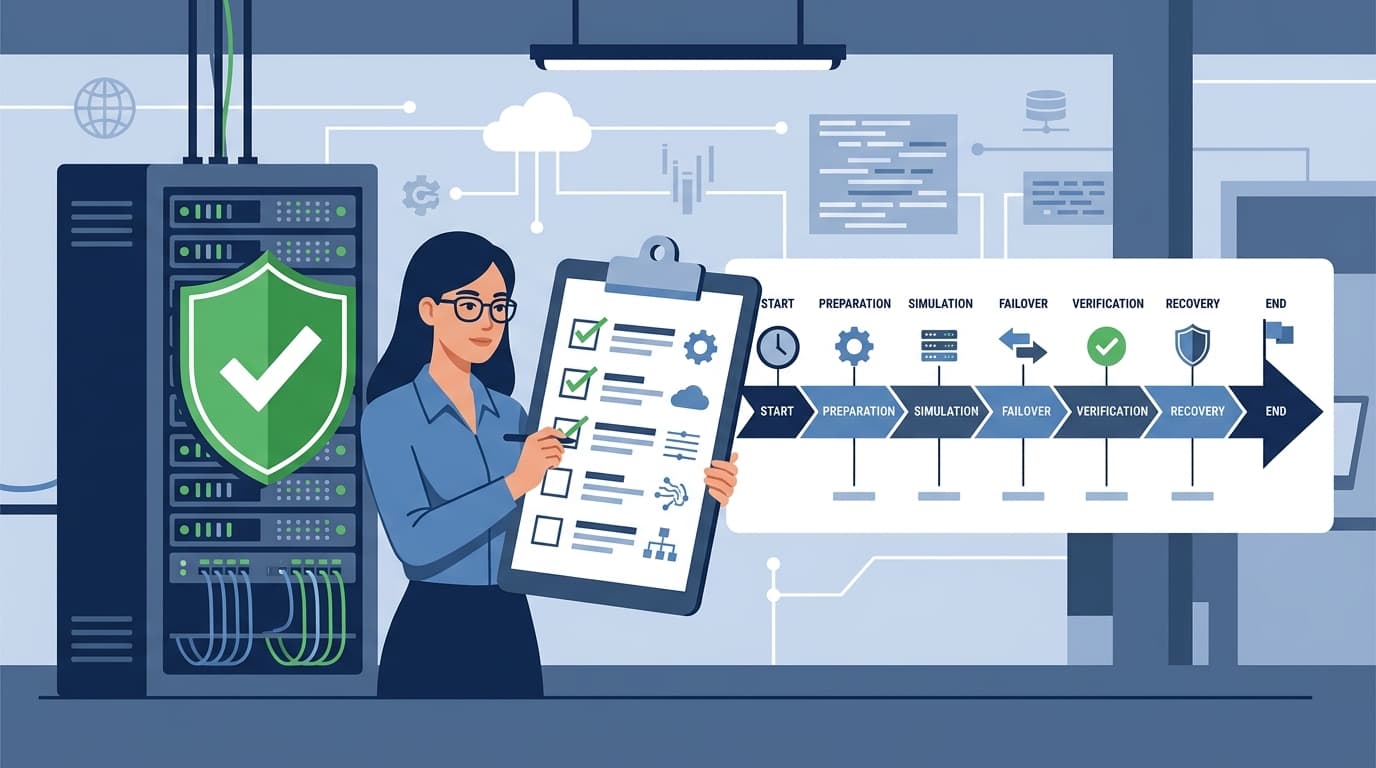
Having a disaster recovery plan isn't enough — 73% of organizations that test their DR plans discover critical gaps that would have caused extended downtime during a real incident (SBS Cybersecurity, 2024). A plan that's never been tested is a plan that will fail when you need it most.
This guide gives you a complete DR testing checklist, a quarterly testing schedule you can follow, and pass/fail criteria for each test type. If you don't have a DR plan yet, start with our IT disaster recovery plan template and guide before reading further.
Key Takeaways
- Test your DR plan quarterly at minimum — tabletop exercises alternate with parallel and failover tests
- The 4 test types progress in complexity: checklist review → tabletop exercise → parallel test → full failover
- Every test needs documented pass/fail criteria tied to your RTO (Recovery Time Objective) and RPO (Recovery Point Objective)
- Download our business continuity planning template to structure your testing program
Why Most DR Plans Fail Their First Real Test
A disaster recovery plan that lives in a SharePoint folder and gets reviewed annually is a liability, not a safety net. Plans fail for three predictable reasons:
- Contact information is outdated — the on-call engineer left 6 months ago and nobody updated the phone tree
- Recovery procedures don't match current infrastructure — you migrated to AWS but the DR plan still references the old data center
- RTO/RPO assumptions are wrong — you assumed a 4-hour recovery, but the actual restore from backup takes 11 hours
Testing exposes all three before a real disaster does. The goal isn't to prove your plan works perfectly — it's to find the gaps while there's no pressure to fix them.
The 4 Types of DR Tests (From Simplest to Most Realistic)
Each test type serves a different purpose. A mature DR testing program uses all four on a rotating schedule.
Type 1: Checklist Review (30 minutes)
The simplest test. Walk through the DR plan document and verify that every element is current.
Checklist:
- ☐ All contact information is current (test by calling each number)
- ☐ Vendor emergency contacts are accurate
- ☐ System inventory matches current infrastructure
- ☐ Backup schedules and locations are documented correctly
- ☐ RTO and RPO targets are still appropriate for each system
- ☐ Recovery procedures reference current software versions
- ☐ Network diagrams reflect current topology
- ☐ Insurance policies cover current asset values
- ☐ Regulatory notification requirements are current
Pass criteria: All items verified as current. Any outdated item triggers an immediate update.
Frequency: Monthly or after any significant infrastructure change.
Type 2: Tabletop Exercise (2-4 hours)
A structured discussion where the DR team walks through a scenario without touching any systems. The facilitator presents a disaster scenario and the team describes, step by step, how they'd respond.
Pre-exercise setup:
- ☐ Select a realistic scenario (ransomware, data center fire, cloud provider outage)
- ☐ Prepare timeline with escalating events ("at Hour 2, you discover backups are also encrypted")
- ☐ Invite all DR team members and at least one executive
- ☐ Assign a note-taker to document decisions and gaps
During the exercise:
- ☐ Facilitator presents the initial incident
- ☐ Team discusses: Who gets called first? What systems are prioritized?
- ☐ Facilitator introduces complications at 30-minute intervals
- ☐ Team documents every decision and the rationale
- ☐ Note gaps: "We don't have a process for X" or "Nobody knows who handles Y"
Post-exercise review:
- ☐ List every gap discovered (typically 5-15 per exercise)
- ☐ Assign an owner and deadline for each gap
- ☐ Update the DR plan to address findings
- ☐ Schedule follow-up to verify gaps are closed
Pass criteria: All critical systems have a documented recovery procedure and an assigned owner. Identified gaps have remediation plans with deadlines.
Frequency: Quarterly.
Type 3: Parallel Test (4-8 hours)
A technical test where you bring up systems in the DR environment alongside production — without switching live traffic. This proves your backups are restorable and your DR infrastructure actually works.
Pre-test checklist:
- ☐ Notify all stakeholders of the test window
- ☐ Verify DR site infrastructure is powered and networked
- ☐ Confirm latest backup availability and integrity
- ☐ Assign recovery teams to each system tier
- ☐ Prepare monitoring dashboards for DR environment
- ☐ Document the starting state (backup timestamps, configurations)
During the test:
- ☐ Restore Tier 1 (critical) systems from backup in the DR environment
- ☐ Record actual recovery time for each system
- ☐ Verify data integrity — compare record counts, recent transactions, file checksums
- ☐ Test application functionality in DR environment (can users log in? can transactions process?)
- ☐ Test network connectivity between DR systems
- ☐ Verify monitoring and alerting works in DR environment
- ☐ Record any errors, failures, or unexpected behaviors
Post-test:
- ☐ Compare actual recovery times against RTO targets
- ☐ Compare data freshness against RPO targets
- ☐ Document deviations and root causes
- ☐ Tear down DR environment (don't leave test instances running)
- ☐ Update DR plan with any procedural changes
Pass criteria:
- All Tier 1 systems recovered within RTO
- Data loss within RPO tolerance
- Core application functionality verified
- No unresolved errors that would prevent production use
Frequency: Semi-annually.
Type 4: Full Failover Test (8-24 hours)
The most realistic test — actually switch production operations to the DR site, run for a defined period, then fail back. This is the only test that proves your DR plan works under real conditions.
Pre-test checklist:
- ☐ Executive approval for planned downtime window
- ☐ Customer/user notification (if applicable)
- ☐ Rollback plan documented and tested
- ☐ All DR team members confirmed available for entire window
- ☐ Communication plan for status updates during the test
- ☐ Success criteria agreed with management
During the test:
- ☐ Initiate planned failover to DR site
- ☐ Record failover start time
- ☐ Verify all Tier 1 systems are operational on DR site
- ☐ Route live traffic to DR site (DNS changes, load balancer updates)
- ☐ Monitor performance — latency, error rates, throughput
- ☐ Run normal business operations for 2-4 hours minimum
- ☐ Execute failback to primary site
- ☐ Verify all systems restored to primary with no data loss
Post-test:
- ☐ Document total failover time and failback time
- ☐ Record any service degradation during DR operations
- ☐ Capture lessons learned from the entire team
- ☐ Update DR plan with procedural improvements
- ☐ Report results to executive sponsor
Pass criteria:
- Failover completed within RTO
- All critical business processes functional on DR site
- Failback to primary with zero data loss
- Total unplanned downtime less than threshold (e.g., 15 minutes)
Frequency: Annually.
Your Quarterly DR Testing Schedule
Here's a 12-month testing calendar that progressively increases realism:
| Quarter | Test Type | Duration | Systems Tested | Team Required |
|---|---|---|---|---|
| Q1 (Jan) | Checklist Review + Tabletop Exercise | 3 hours | All documented systems | Full DR team |
| Q2 (Apr) | Parallel Test — Tier 1 Systems | 6 hours | Critical applications, databases, email | IT ops + DB team |
| Q3 (Jul) | Checklist Review + Tabletop Exercise (new scenario) | 3 hours | Focus on cloud/SaaS recovery | Full DR team |
| Q4 (Oct) | Full Failover Test | 12 hours | All production systems | Full DR team + exec sponsor |
Additional triggers for unscheduled tests:
- Major infrastructure change (cloud migration, new data center)
- Key DR team member departure
- Significant security incident
- New compliance requirement (SOC 2, ISO 27001)
- Acquisition or merger
How to Measure DR Test Results
Every test needs quantitative results, not just "it worked" or "it didn't." Track these metrics across tests to measure improvement:
| Metric | What It Measures | Target |
|---|---|---|
| Actual Recovery Time | How long systems actually took to recover | ≤ RTO |
| Data Loss Window | How much data was lost in the recovery | ≤ RPO |
| Gaps Discovered | Number of plan deficiencies found | Decreasing trend |
| Gaps Closed | % of previous test gaps resolved | 100% before next test |
| Team Response Time | Time from incident declaration to first recovery action | < 30 minutes |
| Communication Success | % of team members reached on first attempt | > 90% |
If your actual recovery time consistently exceeds your RTO, you have two choices: invest in faster recovery technology (better backups, warm standby) or negotiate a longer RTO with the business. Don't pretend the gap doesn't exist.
For detailed incident tracking, use our incident response plan template alongside your DR testing program.
Post-Test Review Template
After every test, complete this review within 48 hours while the experience is fresh:
Test Summary:
- Test type and date
- Systems tested
- Participants
- Scenario (for tabletop/failover)
Results:
- Pass/fail against each criterion
- Actual RTO vs. target RTO (per system)
- Actual RPO vs. target RPO (per system)
- Number of gaps discovered
Gaps and Action Items:
| Gap | Severity | Owner | Deadline | Status |
|---|---|---|---|---|
| Backup restore script failed for DB2 | Critical | DBA Team | 2 weeks | Open |
| On-call phone list had 3 wrong numbers | High | IT Manager | 1 week | Open |
| DR site lacked updated SSL certificates | Medium | Security | 3 weeks | Open |
Lessons Learned:
- What worked well?
- What didn't work?
- What surprised us?
- What should we change in the plan?
Our risk assessment template helps you prioritize which gaps to address first based on likelihood and impact scoring.
Frequently Asked Questions
How often should a disaster recovery plan be tested?
At minimum, test quarterly using a mix of methods: tabletop exercises twice a year, parallel tests once, and a full failover annually. Organizations in regulated industries (healthcare, finance) may need monthly checklist reviews and semi-annual failover tests. The frequency should match your risk tolerance and compliance requirements. After any major infrastructure change, run an unscheduled parallel test regardless of where you are in the calendar.
What's the difference between RTO and RPO?
Recovery Time Objective (RTO) is how long you can afford to be down — it's the maximum acceptable time from disaster to restored operations. Recovery Point Objective (RPO) is how much data you can afford to lose — it's the maximum acceptable time between your last backup and the disaster. For example, a 4-hour RTO and 1-hour RPO means you must be operational within 4 hours and can lose no more than 1 hour of data. See our disaster recovery plan guide for detailed RTO/RPO setting methodology.
Who should be involved in DR testing?
At minimum: IT operations (system recovery), database administration (data recovery), network engineering (connectivity), security (incident response), and an executive sponsor (business decisions). For tabletop exercises, include representatives from business units that depend on IT systems — they'll identify recovery priorities that IT alone might miss. A typical DR test team is 6-10 people.
What should I do if a DR test fails?
Don't panic — that's the point of testing. Document exactly what failed, why it failed, and what needs to change. Assign remediation owners with deadlines. Schedule a retest of the failed component within 30 days. Critically, don't skip the next scheduled test because the last one had issues. Consecutive test failures are the most valuable data you'll get — they show whether your remediation efforts actually work.
How do I convince leadership to allocate time for DR testing?
Frame it in terms of cost. Calculate the per-hour cost of downtime for your organization (revenue per hour + employee productivity + regulatory fines). Then compare it to the cost of quarterly testing (typically 20-40 hours of staff time per quarter). A 4-hour outage at a mid-market company costs $50,000-$250,000. The quarterly testing program costs $5,000-$10,000 in staff time. The math speaks for itself.
Can DR testing be automated?
Partially. Backup verification (checksums, restore tests) can be fully automated and should run daily. Infrastructure health checks and failover readiness scans can be automated with tools like Veeam, Zerto, or AWS Elastic Disaster Recovery. But tabletop exercises and full failover tests require human judgment and can't be automated — the value is in the team's decision-making under pressure, not the technical execution.